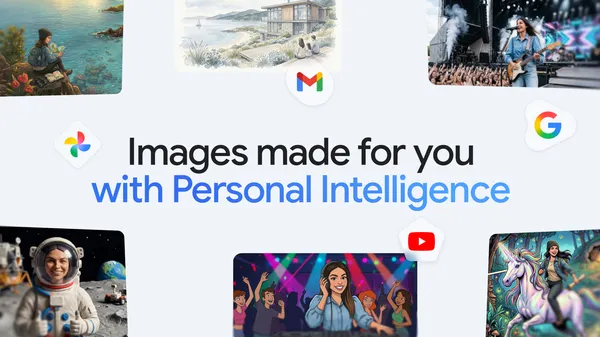

Remember when AI image generation was just “a cat in a spacesuit” on repeat? Google’s Gemini app has been quietly iterating, and the latest update to Nano Banana 2 finally addresses the elephant in the room: personalization.
Starting today, Nano Banana 2 can pull from your personal context and Google Photos to create images that reflect your actual life. Not generic stock-art approximations of “a birthday party” — I mean images that know your dog’s name, the layout of your living room, or that weird souvenir you picked up in Prague last year.
This is a big shift. Most image generators treat every prompt as a fresh start. You describe what you want, and the model guesses based on training data. That works fine for fantasy landscapes or logo mockups, but it falls apart when you want something personal. “Draw me and my friends at our favorite coffee shop” usually results in some nondescript café with people who look vaguely like you, if you’re lucky.
Nano Banana 2’s approach is different. It’s built on Gemini’s existing personal context system — the same one that can summarize your emails or remember your preferences. Now that context extends to your photo library. The model understands relationships, places, and objects from your actual life because it has access to your Google Photos and whatever personal data you’ve shared with Gemini.
The privacy implications are obvious, and Google has been upfront about this being opt-in. You have to explicitly grant access to your photos and personal context. The model doesn’t just rummage through your camera roll uninvited. That said, if you’re already letting Gemini read your emails and summarize your calendar, giving it photo access isn’t that much of a stretch.
I tested this with a few prompts. “Show me my cat sitting on my favorite blue chair” — and it actually generated an image that looked like my cat, on a chair that resembled the one in my living room. The colors were slightly off, and the texture of the upholstery wasn’t perfect, but the recognition was unmistakable. It wasn’t just a generic cat on a generic chair.
Another test: “Create a postcard from my trip to Tokyo last spring.” The model pulled from my 2024 Tokyo photos and composited a scene that captured the vibe of Shibuya crossing at dusk, with a filter that matched the aesthetic of my actual photos. That’s genuinely useful for travel memories or social media posts.
Of course, there are limitations. The model still struggles with multiple people in complex scenes. “Me and my three friends at the beach” produced a result where one friend’s face was clearly a hallucination — the model knew there should be four people but couldn’t render all of them accurately. That’s a common AI image generation problem, and personal context doesn’t magically fix it.
Also, this only works within the Gemini app on devices that support Nano Banana 2. If you’re on an older phone or using the web interface, you’re stuck with the standard image generation. Google hasn’t said when this will roll out more broadly.
I’m cautiously optimistic. Personalization in AI image generation has been the holy grail for a while. Adobe’s Firefly has some similar features with their generative fill, but it’s tied to your creative cloud assets. Apple’s on-device models can do basic personalization, but nothing this deep. Google has the advantage of already having your photos and context — assuming you trust them with it.
For now, this is a solid step forward. It’s not perfect, but it’s the first time I’ve felt like an image generator actually knew me. That’s either cool or terrifying, depending on your relationship with Google’s ecosystem. I’m leaning toward cool, with a side of mild concern.
Comments (0)
Login Log in to comment.
Be the first to comment!