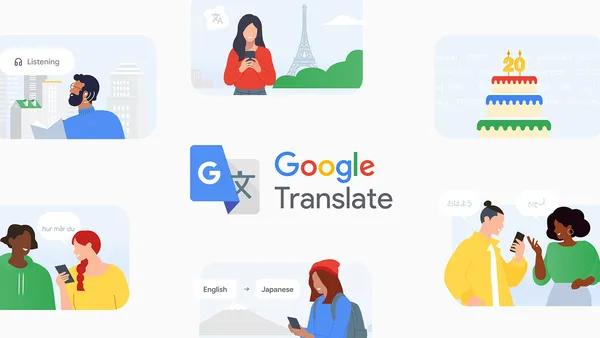

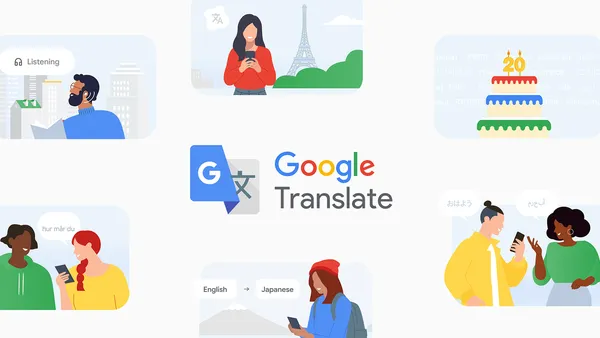
Google Translate turned 20 this week. Twenty years of machine translation that started as a sketchy experiment and now covers almost 250 languages. That’s a lot of bad translations to wade through before we got to the current state where it mostly works.
I remember when Translate first launched in 2006. It was impressive for its time, sure, but it also gave you the kind of translations that made you laugh or cringe. Statistically-based machine translation meant the system was basically guessing based on patterns it found in parallel texts. It worked okay for Spanish to English. It was a disaster for anything outside European languages.
The shift to neural machine translation in 2016 changed everything. That’s when Translate stopped being a parlor trick and became an actual tool. The quality jump was huge, and it’s only gotten better since then. Google claims they’ve added over 110 languages just in the last five years. I believe it, because the rate of improvement has been visible even month to month.
Here’s the thing about those 250 languages though. Coverage is not the same as quality. Some of those languages have very little training data. If you’re translating between major languages like English, Spanish, Mandarin, or Arabic, you get solid results. Try something like Yiddish or Maori and you’re rolling the dice. Google doesn’t publish per-language accuracy stats, which tells you something.
The numbers that actually matter
Google Translate handles over 100 billion words per day. That’s more than the entire English Wikipedia times about 200. It’s available in the Chrome address bar, Gmail, Google Docs, and as a standalone app. The real story here isn’t the 20-year anniversary, it’s how deeply embedded translation has become in our daily workflows.
I use Translate every single day. Not for full paragraphs, but for checking whether I’m saying something correctly in a language I’m learning. I also use it to read news from non-English sources. The browser integration alone saves me hours per week. That’s the kind of impact that doesn’t show up in a press release.
What’s actually new
Google is rolling out something they’re calling contextual suggestions. The idea is that Translate will now try to understand the broader context of a sentence rather than translating word by word or even phrase by phrase. In practice, this means fewer of those “the spirit is willing but the flesh is weak” becoming “the vodka is good but the meat is rotten” moments. I haven’t tested it extensively yet, but early impressions suggest it’s a meaningful improvement for longer texts.
They’re also expanding real-time conversation mode. This has been around for a while but the accuracy has been hit or miss, especially in noisy environments. The updated version supposedly handles overlapping speech better. I’ll believe that when I see it in a crowded restaurant.
There’s a new handwriting input feature too. This is actually useful for languages with non-Latin scripts where typing can be a pain. I’ve tried it with Arabic and Japanese. It works, but it’s slow. Handwriting recognition has come a long way, but it’s still not faster than typing for most people.
The stuff they don’t advertise
Google Translate still has blind spots. Domain-specific translations are weak. Legal documents, medical texts, and technical manuals all suffer because the system was trained on general web content. If you’re translating a contract, don’t trust Translate. Get a human.
Idioms remain a problem. The contextual suggestions might help, but the core issue is that idioms are culture-specific. Translate doesn’t understand culture, it understands patterns. “Break a leg” still comes out as literal bone-breaking in many languages.
And the privacy situation is worth mentioning. Google processes everything you translate through its servers. There’s no on-device option for the web version. The mobile app has some offline capability, but it’s limited. If you’re translating sensitive documents, this matters.
Where we go from here
Twenty years in, Google Translate is the best free translation tool available. DeepL is better for European languages, but Google’s language coverage is unmatched. Microsoft Translator is catching up, especially with Office integration. But for general use, Translate is still the default.
The next frontier is real-time multimodal translation. Google Lens already does image translation, but the quality varies wildly. Pointing your phone at a menu in Japanese works okay. Pointing it at a handwritten sign in Hindi is a gamble. I expect this to improve significantly in the next five years as vision models get better.
Translation as a feature is also becoming invisible. It’s already built into Chrome, Gmail, and Docs. Eventually it’ll just be part of the operating system. Apple is already doing this with system-wide translation in iOS and macOS. Google is heading the same direction.
For now, happy 20th to Google Translate. It’s gone from a curiosity to an essential tool. It’s still not perfect, and it probably never will be. But it’s good enough to be useful every day, and that’s more than most AI products can say.
Comments (0)
Login Log in to comment.
Be the first to comment!