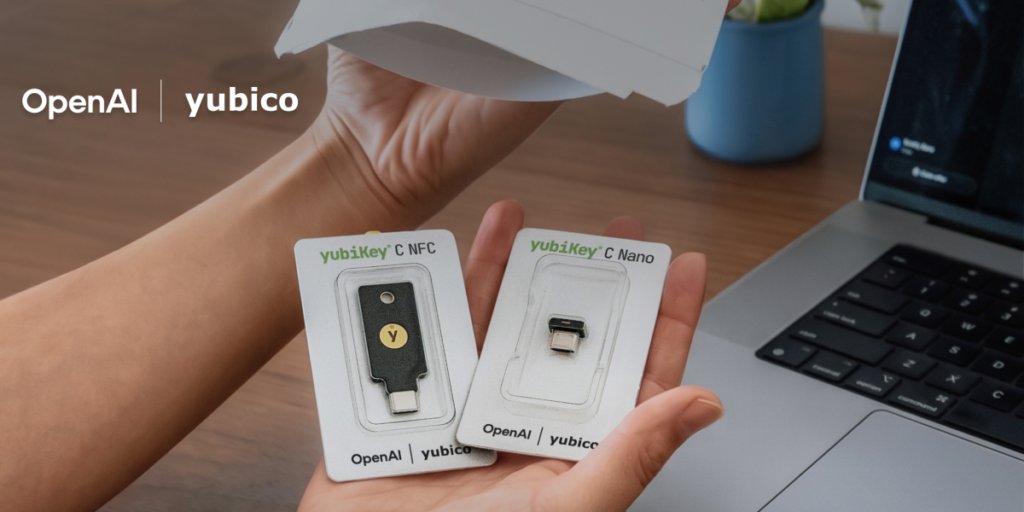

OpenAI is finally giving ChatGPT users the option to lock their accounts down with something more than just a password and SMS codes. The company announced a new security initiative that includes a partnership with Yubico, the folks behind those little USB and NFC security keys that serious security nerds have been carrying around for years.
This is opt-in, which means you won’t be forced into it. But if you’re the type of person who worries about account takeovers, especially given how much sensitive data people are now dumping into ChatGPT conversations, this is a welcome addition.
For context, Yubico’s YubiKeys are hardware tokens that use FIDO2/WebAuthn standards. You plug one in, tap it, and it authenticates you without transmitting any reusable secret across the wire. Phishing attacks can’t steal what isn’t there. This is the same tech that Google, GitHub, and a growing list of enterprise services have been pushing for years.
What’s interesting here is that OpenAI isn’t just bolting on TOTP (those six-digit codes from authenticator apps) and calling it a day. They’re going straight to hardware-backed WebAuthn, which is genuinely more secure. That said, I’m surprised they didn’t roll out standard TOTP support first. A lot of people aren’t ready to buy a $25–$55 hardware key just to chat with an AI model.
The Yubico partnership is notable because it means OpenAI is likely getting these at a discounted rate or bundling them somehow. The announcement didn’t specify pricing for end users, but I’d expect OpenAI to offer some kind of subsidized key for ChatGPT Pro or Team subscribers. That would actually make sense — if you’re paying $20–$200 a month for AI access, a $50 key isn’t a huge ask.
But here’s the catch: hardware key support is rolling out gradually. You might not see it in your account settings yet. And there’s no mention of passkey support via your phone’s built-in biometrics (like Apple’s Face ID or Android’s fingerprint sensor), which would be a more accessible middle ground. That omission feels like a miss.
I’ve been using a YubiKey for my Google account for years, and the experience is solid — once you get past the initial setup friction. The key never leaves my keychain, and I never have to type a code or approve a push notification. For ChatGPT, I’d do the same in a heartbeat, especially if I’m using it for work with proprietary data.
That said, the real risk here isn’t just account takeover. It’s that once someone has access to your ChatGPT history, they can extract months of conversations, including personal data, business strategies, or code you’ve been iterating on. A hardware key doesn’t protect against OpenAI’s own security incidents, but it does make targeted phishing attacks against your account much harder.
The timing makes sense. With ChatGPT now embedded in everything from coding assistants to customer support bots, the attack surface has grown. OpenAI has been under pressure to match the security posture of enterprise SaaS tools like Google Workspace or Microsoft 365. This move brings them closer to that bar.
I’d like to see OpenAI go further. They should support passkeys natively, allow multiple hardware keys per account (for backup), and integrate with enterprise identity providers like Okta or Azure AD for business accounts. But this is a solid first step. It shows they’re taking account security seriously, even if the rollout is slower than I’d like.
If you’re a ChatGPT power user and you don’t already have a FIDO2 key, this is your cue to get one. Just don’t lose it — recovery options for hardware-backed accounts are still a pain point across the industry.
Comments (0)
Login Log in to comment.
Be the first to comment!